BriefBooth
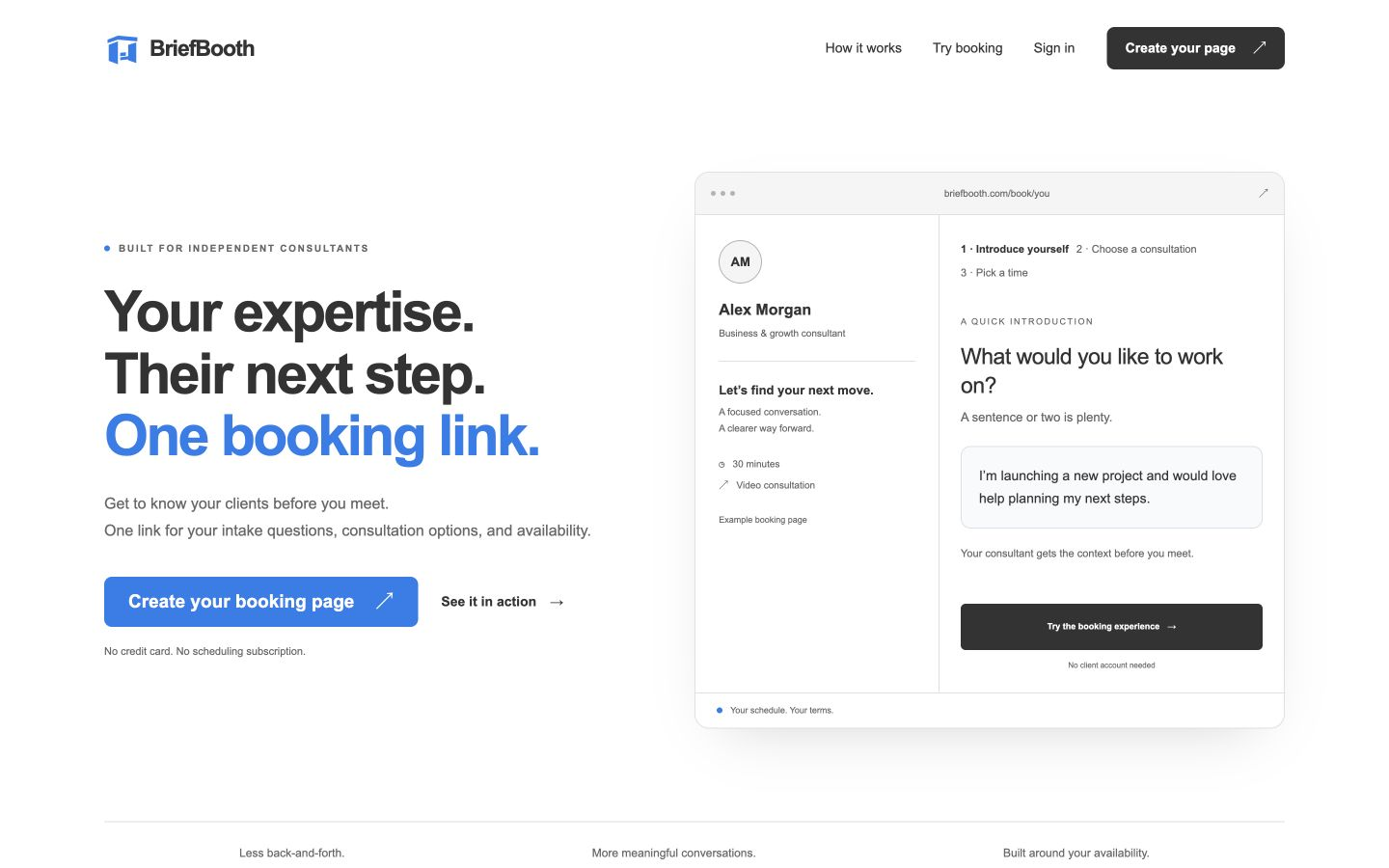
Live website capture
Give clients one link to explain their needs and request a consultation.
See how it works 4u Digital
WEB APPLICATIONS
I build web apps that bring shared records, approvals, and team tasks into one place. We’ll start with your current process and agree what belongs in the first version.
Video consultation · Opens BriefBooth in a new tab. Requests are reviewed before confirmation.
Selected personal projects. Open one to see its workflow and complete original gallery.
Live website capture
Give clients one link to explain their needs and request a consultation.
See how it works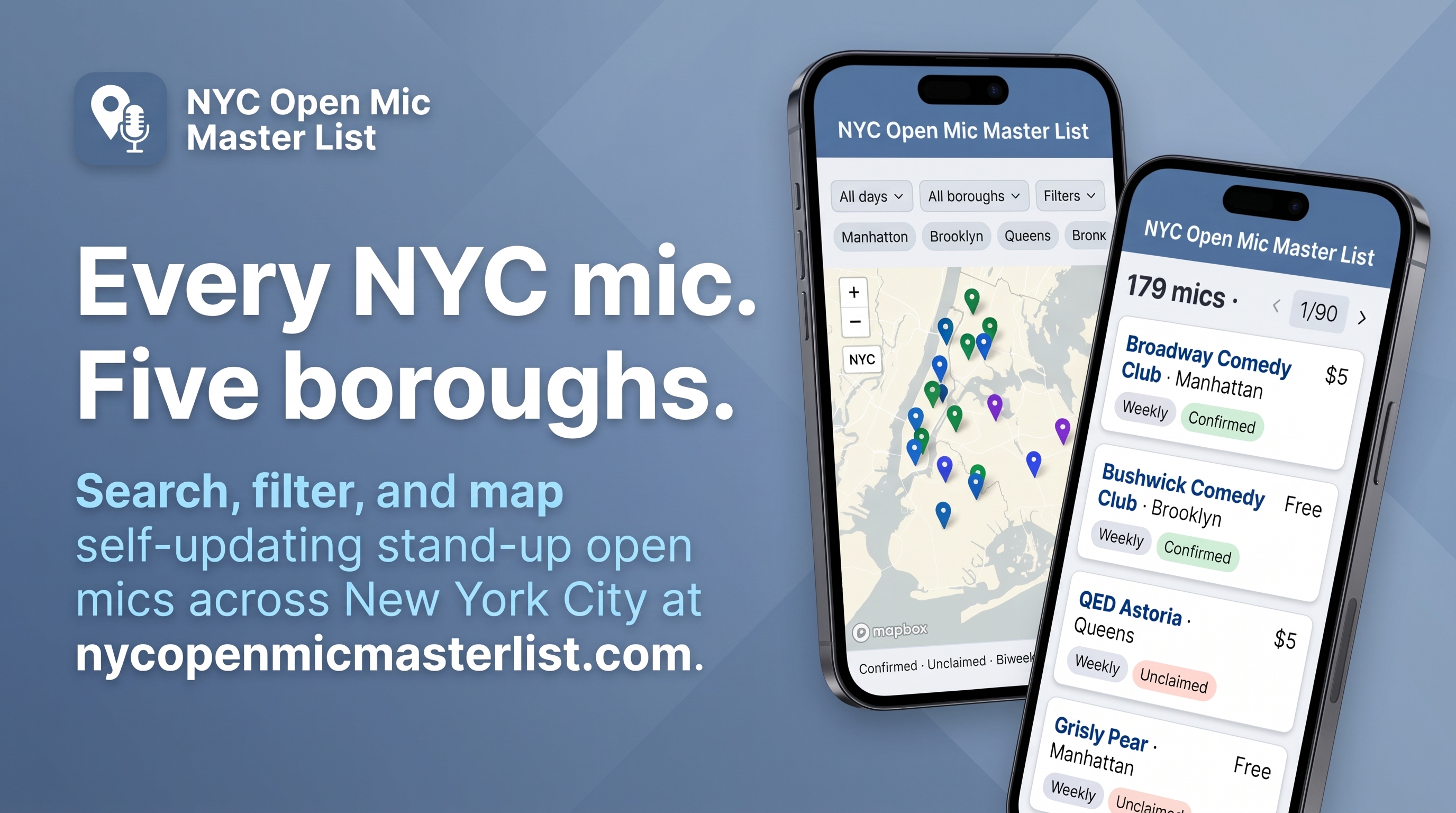
Supplied product artwork
Find New York City open mics through a searchable map and directory, with reviewed source imports and host updates.
See how it worksBriefBooth brings client intake and consultation requests into the platform used by 4u Digital. NYC Open Mic Master List combines a searchable map with data updates, review tools, and host accounts. The Trip Handler demonstrates shared planning and payments. I Can Run A Show brings booking, contracts, and live-show controls together; BillSpilt organizes shared expenses. Their galleries distinguish demonstration captures from product artwork.
We agree the useful first version, price, and timeline together. Expand the details that matter to you.
A web application can give a request a defined path: submit details, review them, approve or return the request, and show its status. We map the handoffs before building screens, including who can change a decision and what happens when information is missing.
A shared workspace can bring schedules, documents, comments, and records together with access appropriate to each person. A team member may need a working view while an organizer needs project controls. We define the actions and permissions around the information people share.
A payment flow may need to update a participant's status after confirmed checkout. We define what is charged, where the amount comes from, and how payment status affects the next step. Payment-provider accounts, service costs, and incomplete payments belong in that discussion.
Web-app permissions need rules for each role and action. Signing in identifies a person; access checks determine what that person may do. We work through record ownership, membership, invitations, and approval rights alongside the interface, including private information and administrative controls.
Shared records need rules for edits, status changes, and conflicting information. We identify each record's source, what needs saving, and what people should see after an update. Offline use or synchronization becomes an explicit requirement when the workflow needs it.
A web app may connect to sign-in services, email notifications, payment providers, or an existing database. We check available access before scoping a connection. Hosting, service costs, and failure handling need a plan too, so each integration serves a defined task.
Your custom code is 100% yours. Client work stays private unless you give permission. Every project includes the 30-day money-back guarantee after the completed product launches.
Guarantee, refunds & supportIf you’re not satisfied with your completed product, you can request a full refund of the 4u Digital development fees paid for your project within 30 days after it launches. Email admin@customtechbuilt4u.com during that period to request your refund.
Reasonable changes are included during those 30 days after the completed product launches. Your individual contract explains what counts as a reasonable change and what would be new project scope, based on your specific needs.
You can choose an optional six-month debugging and support arrangement. During that arrangement, changes are available at a 50% discount on the agreed standard rate. Its coverage, rates, and support details are agreed in your contract.
You receive the code and deployment handover and are free to use your own software. Your custom code is 100% yours. Client work and code stay out of the public portfolio unless you give permission.
Every contract is tailored to your specific needs and the terms you are comfortable with. We agree the scope, price, dates, changes, support, and handover in writing before the build.
A website mainly publishes information and guides visitors to an action. A web app manages ongoing tasks and data, often with accounts or roles. A single project can contain both public pages and a private workspace.
Yes. A web app can have layouts designed for phone and desktop browsers. If installation or offline behavior matters, we should define those requirements separately rather than assuming they follow from a mobile layout.
Yes. We can scope a first version around a complete useful task, such as submitting and reviewing a request. That gives the project a clear boundary while identifying other features that might be considered later.
Bring an example of the task, the people involved, and the information they use. An existing form or spreadsheet is helpful. Describe exceptions too, such as a rejected request, a cancelled booking, or an incorrect payment status.